
24Pet says support, bug fixes, and security updates will continue.
PetPoint alternative + migration
Move beyond PetPoint—without losing your records.
24Pet says all new feature development on PetPoint and Chameleon is ending, while bug fixes and security updates will continue. If that leaves your team weighing what comes next, goodDingo starts with the export you already control and moves it in four CSV import types.
The published transition
A supported product can still have a closed roadmap.
PetPoint and Chameleon helped shelters build years of institutional memory. The organizations using them deserve a transition story that respects that history.
24Pet launched 24PetShelter on April 7, 2026. As checked September 4, its product page says new feature development on PetPoint and Chameleon is ending, while support, bug fixes, and security updates continue. No sunset date is currently planned; moving is a workflow decision, not an announced shutdown deadline.
Through Digital Checkout, including a microchip for eligible cat and dog adoptions. No monthly or annual core software fee; ask about setup and processing costs.
24Pet’s current page includes foster parent management among features coming in the next few months.
Self-serve migration importer
Start with the PetPoint export you already control.
Import one CSV at a time: animals, people, vaccinations, or historical outcomes. Review suggested column mappings and sample rows before committing. Test a copy first; confirm record totals and rollback behavior before production use.
Actual beta importer · Fictional sample CSV
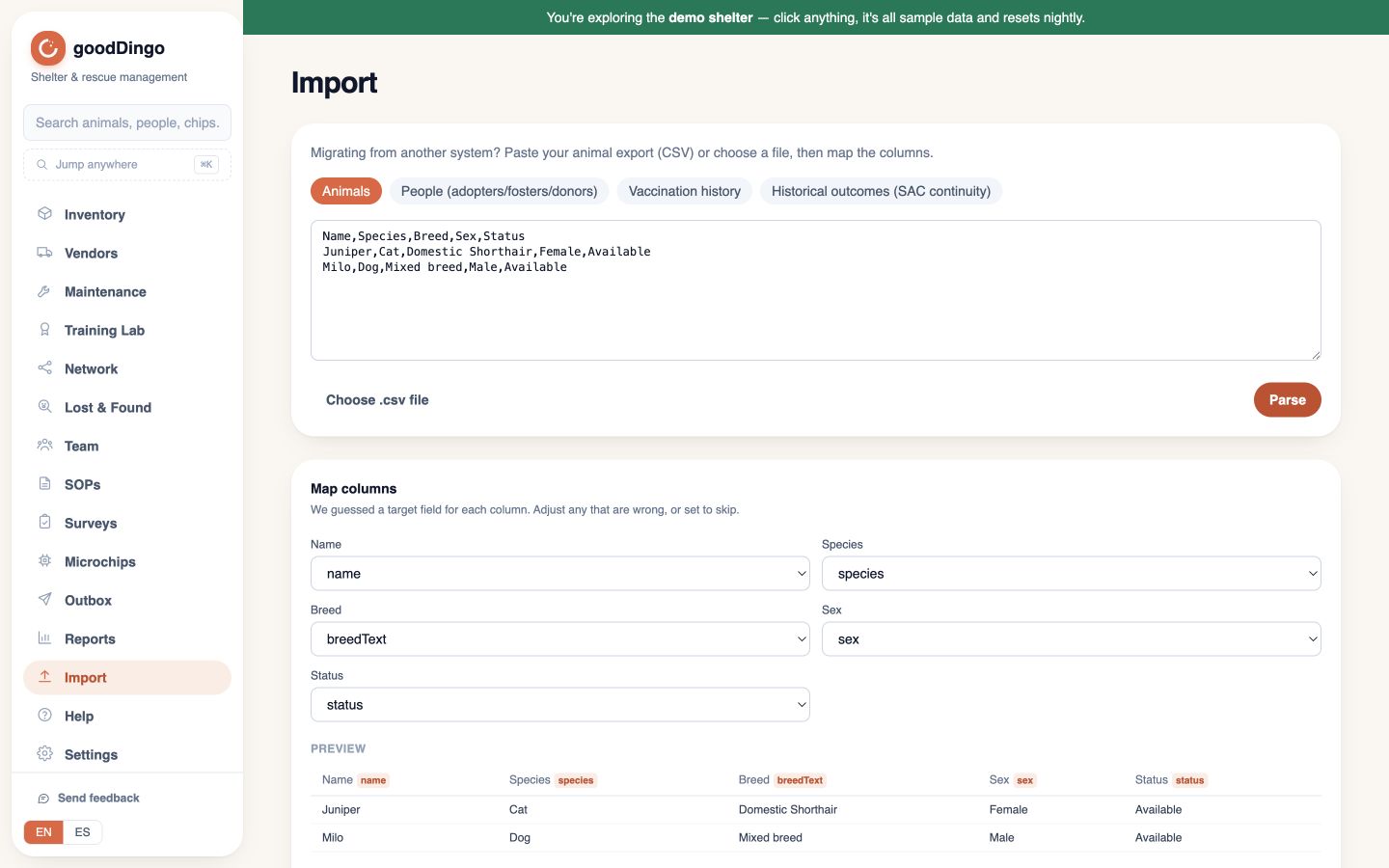
Animals
Names, species, breeds, identifiers, locations, statuses, and existing PetPoint animal codes.
People
People and contact details. Review relationship mapping separately; a CSV of people does not recreate every historical relationship.
Vaccinations
Vaccination CSVs matched to animals. Treatment plans, medication histories, attachments, and free-text medical notes are not covered by this importer.
Outcomes → SAC
Adoptions, transfers, returns, and other historical outcomes mapped to Shelter Animals Count categories.
The other direction
Export anytime means anytime.
The Import page’s “Export everything (.zip)” action downloads the supported records as plain CSV files. Review the archive’s coverage with your team; photos and attachments may require separate handling. No export fee, support ticket, or exit interview.
Export everything (.zip) → plain-CSV files → openable by standard tools, without a proprietary reader.
Before you commit
Ask the awkward migration questions.
Source inventory
We start with the systems, exports, record counts, and identifiers that need to move.
Dry-run preview
Review mapped samples and count totals before any migration batch is accepted.
Exception report
Unsupported, missing, or ambiguous fields are named for review instead of silently dropped.
Acceptance checklist
Your team agrees on samples, totals, access, and sign-off criteria before the move is complete.
The self-serve importer is included on every plan. Staff-assisted, white-glove migration is offered on enterprise accounts—ask about it when you plan your migration. Data access, retention, and deletion expectations are reviewed during onboarding. See the published security and data practices.
Bring the export. Keep the history.
Share your PetPoint export inventory and rough record counts. We’ll outline the migration plan before you commit to anything.
Plan my migration